<?xml version="1.0" encoding="utf-8"?><feed xmlns="http://www.w3.org/2005/Atom" ><generator uri="https://jekyllrb.com/" version="4.4.1">Jekyll</generator><link href="https://joelgaff.com/feed.xml" rel="self" type="application/atom+xml" /><link href="https://joelgaff.com/" rel="alternate" type="text/html" /><updated>2026-09-14T03:41:10+00:00</updated><id>https://joelgaff.com/feed.xml</id><title type="html">Joel Gaff, Jr.</title><subtitle>Joel Gaff, Jr. is a Rails developer based in Portland, Oregon.</subtitle><entry><title type="html">Introducing the Omarchy Guild</title><link href="https://joelgaff.com/blog/introducing-the-omarchy-guild/" rel="alternate" type="text/html" title="Introducing the Omarchy Guild" /><published>2026-09-10T00:00:00+00:00</published><updated>2026-09-10T00:00:00+00:00</updated><id>https://joelgaff.com/blog/introducing-the-omarchy-guild</id><content type="html" xml:base="https://joelgaff.com/blog/introducing-the-omarchy-guild/"><![CDATA[<p>Recently I launched a website called omarchyguild.com as a place for all contributors to <a href="https://omarchy.org">Omarchy</a> to have their work featured and highlighted. The idea is that anybody who has a pull request, a plugin, or a theme can share those things, and the site will pull them all in automatically.</p>

<p>I’ve built it so that a user simply has to authorize omarchyguild.com to access their GitHub account. From there it can see what they’ve done related to Omarchy, and any work they’ve done on pull requests, themes, or plugins gets automatically pulled into their profile. Pull requests are imported and updated automatically as new work comes in while users manually add plugins and themes.</p>

<p><img src="/images/omarchy-guild-profile.png" alt="An Omarchy Guild contributor profile" /></p>

<h2 id="the-stack">The stack</h2>

<ul>
  <li>Rails 8, SQLite + Solid Queue/Cache/Cable, Hotwire, Propshaft + import maps, Minitest.</li>
  <li>Auth via email magic link with long-lived sessions.</li>
  <li>Deployed via <a href="https://hatchbox.io">Hatchbox</a>, Cloudflare in front, MailerSend for transactional emails. Solid Queue runs as its own Hatchbox process (<code class="language-plaintext highlighter-rouge">bin/jobs</code>) next to the web server.</li>
</ul>

<h2 id="the-leaderboard">The leaderboard</h2>

<p>The first of my favorite features is the leaderboard, which shows a ranking of people who have contributed PRs, themes, and plugins. You can break that down into all contributions combined (pull requests, themes, and plugins), or you can see separate views for just pull request rankings, theme rankings, and plugin rankings. That way you can see how the members of the guild rank based on those subcategories.</p>

<h2 id="the-globe">The globe</h2>

<p>Another great feature that I really enjoy is the globe, which is a visualization of the Earth with all the Omarchs on it. Users can choose to drop a dot on the globe where they’re located. They don’t have to, but they can, and then their name and their dot will appear on the globe. This way we can see where everybody in the Guild is and what the world looks like with contributors to Omarchy all over it.</p>

<h2 id="you-dont-have-to-be-a-contributor">You don’t have to be a contributor</h2>

<p>On that note, you don’t actually have to be a contributor to sign up for the site. You can simply be somebody who’s interested. You can show off your setups as well, post images of your desktop, your cool computer, your cool setups, very similar to what we have going on in the Discord. You can post all of that here on the Omarchy Guild too.</p>

<h2 id="where-this-fits-with-discord">Where this fits with Discord</h2>

<p>Discord is obviously THE place to chat and converse, and I don’t currently have any features built on omarchyguild.com that allow communication. No like buttons, no chats, no communication. It’s all just presentation. It brings all of these things together into one spot, because I didn’t feel that the Discord group had a place to showcase a person’s work in one single location.</p>

<p>Check it out at <a href="https://omarchyguild.com">omarchyguild.com</a>.</p>]]></content><author><name></name></author><category term="blog" /><category term="omarchy" /><category term="linux" /><category term="rails" /><category term="indie" /><summary type="html"><![CDATA[Recently I launched a website called omarchyguild.com as a place for all contributors to Omarchy to have their work featured and highlighted. The idea is that anybody who has a pull request, a plugin, or a theme can share those things, and the site will pull them all in automatically.]]></summary><media:thumbnail xmlns:media="http://search.yahoo.com/mrss/" url="https://joelgaff.com/images/joel-og.jpg" /><media:content medium="image" url="https://joelgaff.com/images/joel-og.jpg" xmlns:media="http://search.yahoo.com/mrss/" /></entry><entry><title type="html">Plain English</title><link href="https://joelgaff.com/blog/plain-english/" rel="alternate" type="text/html" title="Plain English" /><published>2026-09-02T00:00:00+00:00</published><updated>2026-09-02T00:00:00+00:00</updated><id>https://joelgaff.com/blog/plain-english</id><content type="html" xml:base="https://joelgaff.com/blog/plain-english/"><![CDATA[<p>The other day I was working on my Framework 13 and the fans kicked in, which was atypical. I opened btop and looked through all the things that were in there, but I couldn’t easily, quickly find what the culprit was. I wanted something just to tell me, in plain English, what was happening, and why my laptop was seemingly acting up.</p>

<p>So, I did what anyone using <a href="https://omarchy.org">Omarchy</a> these days would do, and I built a plugin.</p>

<p>I call it Omarchy Plain English.</p>

<p><img src="/images/plain-english-plugin.jpg" alt="Omarchy Plain English plugin output showing a plain-language system summary" /></p>

<p>It’s a plugin that reads your system stats and translates what’s going on there into plain English. It doesn’t use any AI. It just has prescribed verbiage for different scenarios. It lives in your top bar and you can click it and see, in plain English, what’s happening in your system. If anything is going wonky, it’ll tell you. If everything is cool, it’ll tell you. That’s simple.</p>

<p>Sure, I could learn btop better, but sometimes I just want a quick answer to “why is my laptop running hot?” The laptop has all the data, and now it can easily tell me why.</p>

<p>Check it out here: <a href="https://github.com/joelgaff/omarchy-plain-english">https://github.com/joelgaff/omarchy-plain-english</a></p>

<p>P.S. - my Framework was running hot because the Bluetooth service was stuck on something and using an entire core. Claude helped me debug and fix it. What a time to be alive.</p>]]></content><author><name></name></author><category term="blog" /><category term="omarchy" /><category term="linux" /><category term="indie" /><summary type="html"><![CDATA[The other day I was working on my Framework 13 and the fans kicked in, which was atypical. I opened btop and looked through all the things that were in there, but I couldn’t easily, quickly find what the culprit was. I wanted something just to tell me, in plain English, what was happening, and why my laptop was seemingly acting up.]]></summary><media:thumbnail xmlns:media="http://search.yahoo.com/mrss/" url="https://joelgaff.com/images/joel-og.jpg" /><media:content medium="image" url="https://joelgaff.com/images/joel-og.jpg" xmlns:media="http://search.yahoo.com/mrss/" /></entry><entry><title type="html">Swapping inflight wifi from an iPhone to a laptop with a MAC clone</title><link href="https://joelgaff.com/blog/swapping-inflight-wifi-from-an-iphone-to-a-laptop-with-a-mac-clone/" rel="alternate" type="text/html" title="Swapping inflight wifi from an iPhone to a laptop with a MAC clone" /><published>2026-08-18T00:00:00+00:00</published><updated>2026-08-18T00:00:00+00:00</updated><id>https://joelgaff.com/blog/swapping-inflight-wifi-from-an-iphone-to-a-laptop-with-a-mac-clone</id><content type="html" xml:base="https://joelgaff.com/blog/swapping-inflight-wifi-from-an-iphone-to-a-laptop-with-a-mac-clone/"><![CDATA[<p>I flew Icelandair today, headed home from vacation in London, and redeemed a handful of airline points for a wifi pass. Redeemed it on my iPhone. That was the mistake.</p>

<p>The pass is apparently bound to whichever device you activate it on. Icelandair’s portal has a “Swap Device” option, but it only works if you paid with a credit card and gave them an email at checkout. Points purchases don’t create a lookup record, so the swap silently fails with “no device associated with this email.” Poor error message, but Claude helped me figure it out.</p>

<p>I still wanted to use my laptop. I needed to install Omarchy Quattro, after all.</p>

<p>Claude said that the wifi pass follows the MAC address of the device, and the fix is to make the laptop present the iPhone’s MAC.</p>

<p>Framework 13 running Omarchy 3.8.5, iwd for wifi set up. Here is what Claude cooked up that worked.</p>

<p>On the iPhone:</p>

<ul>
  <li>Find the Wi-Fi address (not IP address)</li>
  <li>Toggle Wi-Fi off entirely so the AP can age out the association.</li>
</ul>

<p>On the laptop, save your real MAC first:</p>

<div class="language-bash highlighter-rouge"><div class="highlight"><pre class="highlight"><code><span class="nb">cat</span> /sys/class/net/wlan0/address
</code></pre></div></div>

<p>Then clone the iPhone’s MAC and reconnect:</p>

<div class="language-bash highlighter-rouge"><div class="highlight"><pre class="highlight"><code>iwctl station wlan0 disconnect
<span class="nb">sudo </span>ip <span class="nb">link set </span>wlan0 down
<span class="nb">sudo </span>ip <span class="nb">link set </span>wlan0 address &lt;iphone-mac&gt;
<span class="nb">sudo </span>ip <span class="nb">link set </span>wlan0 up
ip <span class="nb">link </span>show wlan0 | <span class="nb">grep link</span>/ether
iwctl station wlan0 connect <span class="s2">"Icelandair Internet Access"</span>
</code></pre></div></div>

<p>Confirm the grep echoes the iPhone MAC and not your real one. If iwd overwrote it, check <code class="language-plaintext highlighter-rouge">/etc/iwd/main.conf</code> for <code class="language-plaintext highlighter-rouge">AddressRandomization=network</code> or <code class="language-plaintext highlighter-rouge">once</code> and comment it out.</p>

<p>Then re-point DNS at the portal gateway:</p>

<div class="language-bash highlighter-rouge"><div class="highlight"><pre class="highlight"><code><span class="nb">sudo </span>resolvectl dns wlan0 172.19.0.1
<span class="nb">sudo </span>resolvectl domain wlan0 <span class="s1">'~.'</span>
</code></pre></div></div>

<p>That last part was needed because my <code class="language-plaintext highlighter-rouge">resolved.conf</code> had Cloudflare hardcoded in <code class="language-plaintext highlighter-rouge">DNS=</code>, which was overriding the network’s own DNS and swallowing the portal redirect. Moving Cloudflare to <code class="language-plaintext highlighter-rouge">FallbackDNS=</code> is the real long-term fix for captive portals.</p>

<p>Before landing, restore everything:</p>

<div class="language-bash highlighter-rouge"><div class="highlight"><pre class="highlight"><code><span class="nb">sudo </span>ip <span class="nb">link set </span>wlan0 down
<span class="nb">sudo </span>ip <span class="nb">link set </span>wlan0 address &lt;your-real-mac&gt;
<span class="nb">sudo </span>ip <span class="nb">link set </span>wlan0 up
<span class="nb">sudo </span>resolvectl revert wlan0
</code></pre></div></div>

<p>That revert matters. Skip it and the next network I try to join will look mysteriously broken, because wlan0 is still trying to reach a gateway at 35,000 feet.</p>

<h2 id="the-gotchas-that-cost-me-the-most-time">The gotchas that cost me the most time</h2>

<ul>
  <li>I typed the phone’s IP where its MAC belonged. <code class="language-plaintext highlighter-rouge">ip</code> complained “must be 6 bytes.” Bytes, not octets. IP is 4, MAC is 6.</li>
  <li>I dropped the <code class="language-plaintext highlighter-rouge">address</code> keyword a couple times. Without it, <code class="language-plaintext highlighter-rouge">ip link set wlan0 F6:4F:...</code> reads the MAC as a device name and returns “garbage.” Always <code class="language-plaintext highlighter-rouge">ip link set dev wlan0 address &lt;mac&gt;</code>.</li>
  <li>iwd can silently rewrite your MAC back to the hardware one on connect if <code class="language-plaintext highlighter-rouge">AddressRandomization</code> is set. If your first clone succeeds and then the change disappears, that is why.</li>
</ul>

<p>This kind of stuff is just magical. I wouldn’t feel as confident messing with my Mac, but I feel a closer connection to my Linux machine, and know my way around the CLI much more comfortably (with plenty of help from Claude). I felt like a true hacker, doing something that I wasn’t technically supposed to be able to do. Big win for us nerds.</p>

<p>Now off to explore <a href="https://github.com/basecamp/omarchy/releases/tag/v4.0.0">Quattro</a>.</p>]]></content><author><name></name></author><category term="blog" /><category term="linux" /><category term="omarchy" /><category term="networking" /><category term="travel" /><summary type="html"><![CDATA[I flew Icelandair today, headed home from vacation in London, and redeemed a handful of airline points for a wifi pass. Redeemed it on my iPhone. That was the mistake.]]></summary><media:thumbnail xmlns:media="http://search.yahoo.com/mrss/" url="https://joelgaff.com/images/joel-og.jpg" /><media:content medium="image" url="https://joelgaff.com/images/joel-og.jpg" xmlns:media="http://search.yahoo.com/mrss/" /></entry><entry><title type="html">cucamonga.app now pings me for every signup</title><link href="https://joelgaff.com/blog/cucamonga-app-now-pings-me-for-every-signup/" rel="alternate" type="text/html" title="cucamonga.app now pings me for every signup" /><published>2026-08-14T00:00:00+00:00</published><updated>2026-08-14T00:00:00+00:00</updated><id>https://joelgaff.com/blog/cucamonga-app-now-pings-me-for-every-signup</id><content type="html" xml:base="https://joelgaff.com/blog/cucamonga-app-now-pings-me-for-every-signup/"><![CDATA[<p>Small ship. When someone signs up for cucamonga.app, my phone buzzes with a Telegram message from a dedicated bot I set up:</p>

<p><img src="/images/cucamonga-telegram-signup.png" alt="Telegram notification from the Cucamonga signup bot" /></p>

<p>It’s the kind of thing that only matters to me now when the product is small. If the app takes off, I’ll likely turn these notifications off. But at the moment the emotional payoff of these pings is high.</p>

<h2 id="why-i-wanted-this">Why I wanted this</h2>

<p>Between publish and check-stats-a-week-later, there’s a long fuzzy void where I have no idea if anything is landing.</p>

<p>A signup is a real signal. Someone read something, tried the product, gave me their email, and made an account. That’s not a stat, that’s a person.</p>

<p>I want the ping the moment it happens. Not tomorrow morning in a digest email. Now.</p>

<h2 id="how-it-works">How it works</h2>

<p>Under the hood: a small background job on the Rails side that fires whenever a new user is created, packages up a short summary, and sends it to Telegram over their bot API. Around sixty lines of code, plus tests.</p>

<p>A few details worth naming:</p>

<ul>
  <li>The job only fires in production. Dev signups, test signups, seeded data. None of them buzz my phone. Local iteration is already noisy enough.</li>
  <li>It only fires after the database commit. If a signup gets rolled back for any reason, no ghost ping.</li>
  <li>If Telegram is having a bad day, the job retries a few times, then quietly gives up and logs it. A failed notification should never block or retry a real user’s signup.</li>
</ul>

<p>Nothing exotic. Just quiet, defensive plumbing.</p>

<h2 id="the-nice-surprise">The nice surprise</h2>

<p>Setting up the Telegram bot was faster than I expected. Two minutes with @BotFather, one HTTP call to test, done. Bot tokens are just strings, chat IDs are just numbers. There’s nothing you need to configure on Telegram’s side beyond creating the bot itself.</p>

<p>Compared to setting up transactional email (deliverability, SPF/DKIM/DMARC, verified domains), Telegram bots are a shockingly easy notification channel for solo-builder use cases. Not for user-facing notifications. I’m not asking Cucamonga users to install Telegram. But for the “ping me, the operator” use case, it’s ideal.</p>

<p>Onwards.</p>]]></content><author><name></name></author><category term="blog" /><category term="rails" /><category term="cucamonga" /><category term="telegram" /><category term="indie" /><summary type="html"><![CDATA[Small ship. When someone signs up for cucamonga.app, my phone buzzes with a Telegram message from a dedicated bot I set up:]]></summary><media:thumbnail xmlns:media="http://search.yahoo.com/mrss/" url="https://joelgaff.com/images/joel-og.jpg" /><media:content medium="image" url="https://joelgaff.com/images/joel-og.jpg" xmlns:media="http://search.yahoo.com/mrss/" /></entry><entry><title type="html">Shipping a rebrand from bed in London</title><link href="https://joelgaff.com/blog/shipping-a-rebrand-from-bed-in-london/" rel="alternate" type="text/html" title="Shipping a rebrand from bed in London" /><published>2026-08-11T00:00:00+00:00</published><updated>2026-08-11T00:00:00+00:00</updated><id>https://joelgaff.com/blog/shipping-a-rebrand-from-bed-in-london</id><content type="html" xml:base="https://joelgaff.com/blog/shipping-a-rebrand-from-bed-in-london/"><![CDATA[<p>I moved my trips app to a new domain last night while lying in bed on vacation. Kids were finally asleep. I was on my phone. I couldn’t help it.</p>

<p>Here is the whole thing, in the order it happened, because I think this is what modern Rails deployment can look like now, and it’s worth writing down.</p>

<h2 id="the-setup">The setup</h2>

<p>The trips app has lived at trips.joelgaff.com for a while. It’s a subdomain on my personal domain. It’s fine, but the app has outgrown it. I rebranded the app to be called Cucamonga, and cucamonga.app is its new home. Time to move it over.</p>

<p>But I’m in London. On vacation. In bed. On my phone.</p>

<p>I only need three tools:</p>

<ol>
  <li><strong>Cloudflare</strong>: where my DNS lives</li>
  <li><strong>Hatchbox</strong>: where the app runs</li>
  <li><strong>GitHub Mobile App</strong>: where the code lives</li>
</ol>

<p>That’s essentially the entire deploy pipeline. Rails 8, SQLite, Hotwire, one Hetzner box behind Caddy, auto-deploy on push to master. It’s boring in the best way.</p>

<h2 id="step-1-dns">Step 1: DNS</h2>

<p>Open Cloudflare. Add two records:</p>

<ul>
  <li><code class="language-plaintext highlighter-rouge">A cucamonga.app</code> → server IP</li>
  <li><code class="language-plaintext highlighter-rouge">CNAME www.cucamonga.app</code> → cucamonga.app</li>
</ul>

<p>Grey cloud, not orange. Caddy needs to see real origin traffic to provision certs, so the Cloudflare proxy stays off. Save. DNS propagates in about ten seconds because Cloudflare doesn’t mess around.</p>

<h2 id="step-2-hatchbox">Step 2: Hatchbox</h2>

<p>Open Hatchbox on my phone. Trips app → Domains → Add Domain → <code class="language-plaintext highlighter-rouge">cucamonga.app</code>. Repeat with <code class="language-plaintext highlighter-rouge">www.cucamonga.app</code>. Save.</p>

<p>Caddy on the server immediately went and provisioned a Let’s Encrypt cert for the new hostnames. This is normally the part where you’d go get a coffee. I’m lying in bed, so I scroll on X for a few minutes. On modern Rails hosting, it’s a background job you notice by accident when it finishes.</p>

<h2 id="step-3-the-403">Step 3: The 403</h2>

<p>I hit https://cucamonga.app expecting the app.</p>

<p>I got a 403.</p>

<p>DNS was correct. The cert was valid. The app was running. And it was refusing me.</p>

<p>Took me a minute to recall what was happening. Didn’t even need to ask Claude.</p>

<p>Rails 8 is paranoid about host headers by default. <code class="language-plaintext highlighter-rouge">ActionDispatch::HostAuthorization</code> checks every request’s Host header against your allowlist in <code class="language-plaintext highlighter-rouge">config/environments/production.rb</code>, and if it’s not on the list, you get a 403. This is the correct behavior. DNS rebinding attacks are real. But it also means adding a new domain requires a code change.</p>

<h2 id="step-4-the-one-file-patch">Step 4: The one-file patch</h2>

<p>Open the GitHub app on my phone. Navigate to <code class="language-plaintext highlighter-rouge">config/environments/production.rb</code>. Tap the pencil icon. Find the <code class="language-plaintext highlighter-rouge">config.hosts</code> block:</p>

<div class="language-ruby highlighter-rouge"><div class="highlight"><pre class="highlight"><code><span class="n">config</span><span class="p">.</span><span class="nf">hosts</span> <span class="o">=</span> <span class="p">[</span>
  <span class="s2">"trips.joelgaff.com"</span><span class="p">,</span>
  <span class="sr">/.*\.joelgaff\.com/</span><span class="p">,</span>
  <span class="s2">"cucamonga.io"</span><span class="p">,</span>
  <span class="s2">"www.cucamonga.io"</span><span class="p">,</span>
  <span class="sr">/.*\.hatchboxapp\.com/</span>
<span class="p">]</span>
</code></pre></div></div>

<p>Add two lines:</p>

<div class="language-ruby highlighter-rouge"><div class="highlight"><pre class="highlight"><code><span class="s2">"cucamonga.app"</span><span class="p">,</span>
<span class="s2">"www.cucamonga.app"</span><span class="p">,</span>
</code></pre></div></div>

<p>Save. Commit to master.</p>

<h2 id="step-5-hatchbox-again">Step 5: Hatchbox again</h2>

<p>Push to master triggers auto-deploy. Hatchbox pulls, builds, restarts. About 90 seconds. Refresh cucamonga.app.</p>

<p>200.</p>

<p>Whole thing, phone in hand: about 15 minutes.</p>

<h2 id="the-point">The point</h2>

<p>It’s not that I did anything clever. It’s that the tools are good enough now that this is what shipping a rebrand looks like. One config file. No rebuild. No downtime. One commit. Thumb typing.</p>

<p>I’m not saying you should ship from vacation. I am saying this. On a mature Rails 8 + Hatchbox stack, the friction between “I want to do a thing” and “the thing is live in production” has collapsed to almost nothing. On a phone. In bed. In a foreign country.</p>

<p>Small ship. Now back to my tea.</p>]]></content><author><name></name></author><category term="blog" /><category term="rails" /><category term="deployment" /><summary type="html"><![CDATA[I moved my trips app to a new domain last night while lying in bed on vacation. Kids were finally asleep. I was on my phone. I couldn’t help it.]]></summary><media:thumbnail xmlns:media="http://search.yahoo.com/mrss/" url="https://joelgaff.com/images/joel-og.jpg" /><media:content medium="image" url="https://joelgaff.com/images/joel-og.jpg" xmlns:media="http://search.yahoo.com/mrss/" /></entry><entry><title type="html">Ruby vs. Rails</title><link href="https://joelgaff.com/blog/ruby-vs-rails/" rel="alternate" type="text/html" title="Ruby vs. Rails" /><published>2024-04-04T00:00:00+00:00</published><updated>2024-04-04T00:00:00+00:00</updated><id>https://joelgaff.com/blog/ruby-vs-rails</id><content type="html" xml:base="https://joelgaff.com/blog/ruby-vs-rails/"><![CDATA[<ul>
  <li>
    <p><img src="/images/rails-new-slide-1-1024x576.png" alt="" /></p>
  </li>
  <li>
    <p><img src="/images/rails-new-slide-2-1024x576.png" alt="" /></p>
  </li>
  <li>
    <p><img src="/images/rails-new-slide-3-1024x576.png" alt="" /></p>
  </li>
  <li>
    <p><img src="/images/rails-new-slide-4-1024x576.png" alt="" /></p>
  </li>
  <li>
    <p><img src="/images/rails-new-slide-5-1-1024x576.png" alt="" /></p>
  </li>
  <li>
    <p><img src="/images/rails-new-slide-6-1024x576.png" alt="" /></p>
  </li>
  <li>
    <p><img src="/images/rails-new-slide-7-1024x576.png" alt="" /></p>
  </li>
  <li>
    <p><img src="/images/rails-new-slide-8-1024x576.png" alt="" /></p>
  </li>
  <li>
    <p><img src="/images/rails-new-slide-9-1024x576.png" alt="" /></p>
  </li>
  <li>
    <p><img src="/images/rails-new-slide-10-1024x576.png" alt="" /></p>
  </li>
  <li>
    <p><img src="/images/rails-new-slide-11-1024x576.png" alt="" /></p>
  </li>
  <li>
    <p><img src="/images/rails-new-slide-12-1024x576.png" alt="" /></p>
  </li>
  <li>
    <p><img src="/images/rails-new-slide-13-1024x576.png" alt="" /></p>
  </li>
  <li>
    <p><img src="/images/rails-new-slide-14-1024x576.png" alt="" /></p>
  </li>
  <li>
    <p><img src="/images/rails-new-slide-15-1024x576.png" alt="" /></p>
  </li>
  <li>
    <p><img src="/images/rails-new-slide-16-1-1024x576.png" alt="" /></p>
  </li>
  <li>
    <p><img src="/images/rails-new-slide-17-1024x576.png" alt="" /></p>
  </li>
</ul>

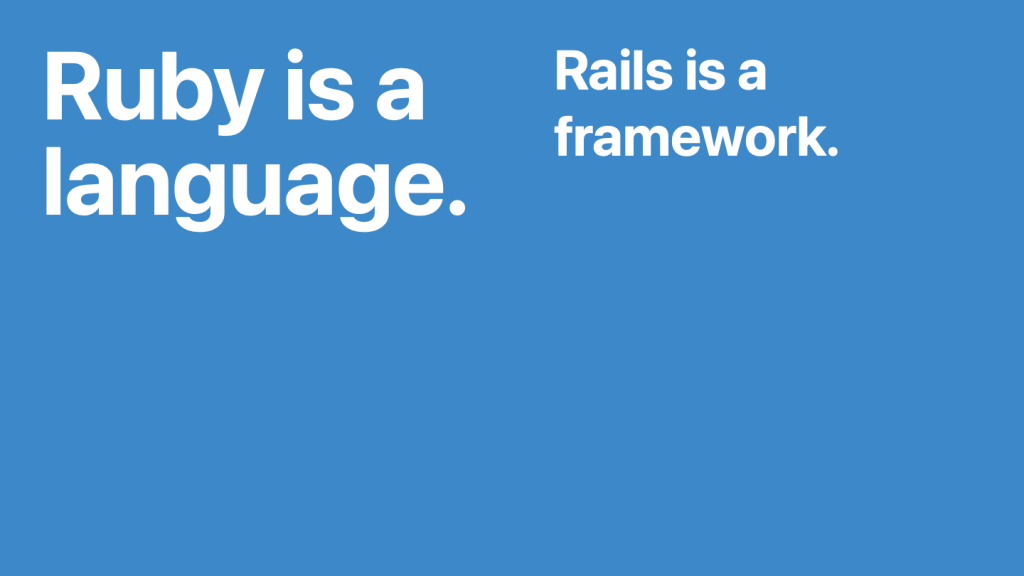
<p>Ruby is the language, Rails is a framework.</p>

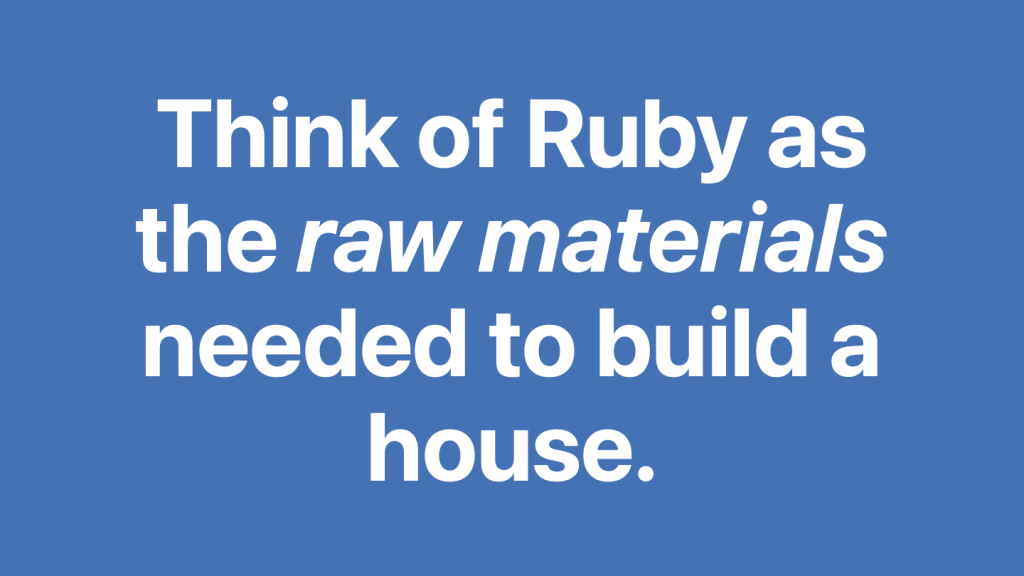
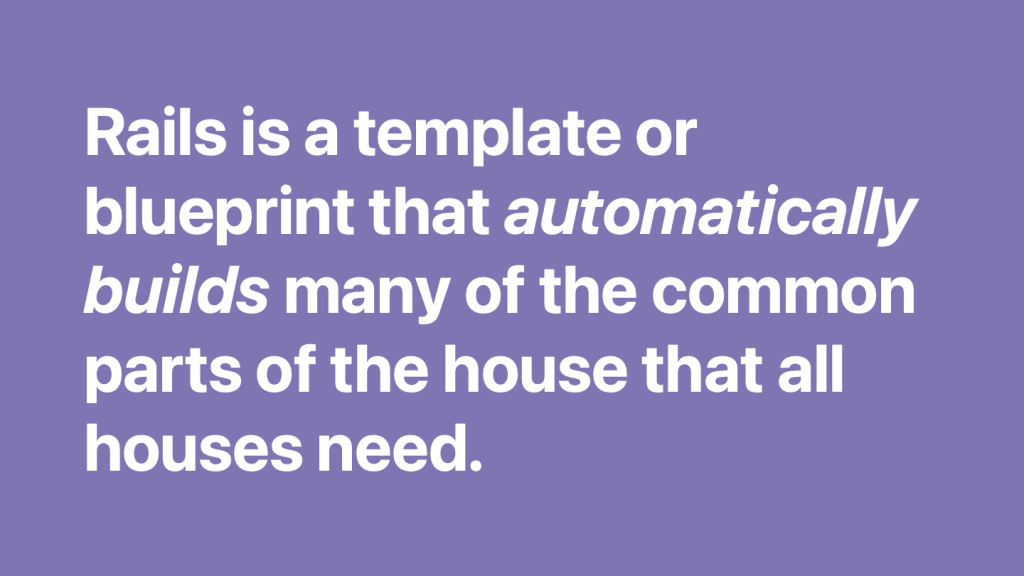
<p>Think of Ruby as the raw materials needed to build a house.  Rails is a template or blueprint that *automatically builds* many of the common parts of the house that all houses need, without you having to do all the planning or building. </p>

<p><img src="/images/rails-new-slide-5-1024x576.png" alt="rails takes care of it" /></p>

<p>You’re gonna need windows, so Rails makes spaces in your walls for windows. </p>

<p>You’re gonna need a furnace, hot water heater, electrical wiring, and a roof over the house, so Rails takes care of all of that.  Every house needs those things. There’s no need to waste time building it all on your own.</p>

<p>You get to design and build all the fun stuff on top of the framework Rails has created for you.</p>

<p>The layout of the rooms, the shape of the house, the kinds of windows, the bathroom fixtures, type of flooring, lights and lamps, kitchen cabinets and so on. That’s your part.</p>

<p>In summary: Rails builds a scaffold (framework), upon which you can flesh out your house…er…project.</p>

<p>All the boring, monotonous steps have been taken care of for you.</p>

<p><img src="/images/rails-new-slide-16-1024x576.png" alt="you get to create" /></p>

<p>More at <a href="http://world.hey.com/joelga">world.hey.com/joelga</a></p>]]></content><author><name></name></author><category term="blog" /><summary type="html"><![CDATA[]]></summary><media:thumbnail xmlns:media="http://search.yahoo.com/mrss/" url="https://joelgaff.com/images/joel-og.jpg" /><media:content medium="image" url="https://joelgaff.com/images/joel-og.jpg" xmlns:media="http://search.yahoo.com/mrss/" /></entry><entry><title type="html">Create a new Ruby on Rails Project in Rails 7</title><link href="https://joelgaff.com/blog/create-a-new-ruby-on-rails-project-in-rails-7/" rel="alternate" type="text/html" title="Create a new Ruby on Rails Project in Rails 7" /><published>2024-03-26T00:00:00+00:00</published><updated>2024-03-26T00:00:00+00:00</updated><id>https://joelgaff.com/blog/create-a-new-ruby-on-rails-project-in-rails-7</id><content type="html" xml:base="https://joelgaff.com/blog/create-a-new-ruby-on-rails-project-in-rails-7/"><![CDATA[<p>Creating a new Ruby on Rails Project is as easy as running a single command from the command line.  After running a single command, you’ll have a functioning Ruby on Rails app. There are just a few things you need to confirm before getting started.</p>

<h3 id="before-getting-started">Before getting started</h3>

<p>First, make sure you have Ruby and Ruby on Rails installed on your computer.</p>

<p>Second, make sure your command prompt is showing the location on your computer where you want this new Rails app to be created.</p>

<p>Take a look at the command line below:</p>

<div class="language-plaintext highlighter-rouge"><div class="highlight"><pre class="highlight"><code>joel@Joels-MacBook-Pro-16 projects %
</code></pre></div></div>

<p>The command line is showing that Terminal (the command line app I’m using on my MacBook) is currently in the ‘projects’ folder.  If I run the rails new command right now, a new Rails app (a folder with a bunch of files in it) will be created in the projects folder.</p>

<h3 id="create-the-project">Create the project</h3>

<p>Now we’re ready to create this project. In the command line run the `‌rails new` command. Swap out ‘grand-prix’ below for the title of your new project. Call it what you want, but make sure it’s either one word, or uses underscores or hyphens between words. Otherwise the first word will be used to create the project name (ie.’my new app’ would end up being called ‘my’. Use ‘my-new-app’ instead)</p>

<div class="language-plaintext highlighter-rouge"><div class="highlight"><pre class="highlight"><code>joel@Joels-MacBook-Pro-16 projects % rails new grand-prix
</code></pre></div></div>

<p>That’s it. When you run this command, a new directory (folder) titled ‘grand-prix’ will be created with the following directories and files (folders below are noted with the ‘/‘ at the end of the name):</p>

<p>- app/<br />
- bin/<br />
- config/<br />
- config.ru<br />
- db/<br />
- Dockerfile<br />
- Gemfile<br />
- Gemfile.lock<br />
- lib/<br />
- log/<br />
- public/<br />
- Rakefile<br />
- README.md<br />
- storage/<br />
- test/<br />
- tmp/<br />
- vendor/<br />
- .dockerignore<br />
- .gitattrubutes<br />
- .gitignore<br />
- .ruby-version</p>

<p>This set of files and folders has created a (very) basic rails app, and you can run it immediately.</p>

<h3 id="viewing-the-project">Viewing the project</h3>

<p>Next you’ll need to navigate into the project folder you just created.  A quick way to do this is to enter the command</p>

<div class="language-plaintext highlighter-rouge"><div class="highlight"><pre class="highlight"><code>cd &lt;the name of the project you just created&gt;
</code></pre></div></div>

<p>This will move your command prompt into the directory/folder (cd means change directory) of the project you just created. In my case I’d enter `cd grand-prix`.</p>

<p>Now, in the command line type `rails server`</p>

<div class="language-plaintext highlighter-rouge"><div class="highlight"><pre class="highlight"><code>joel@Joels-MacBook-Pro-16 gand-prix % rails server
</code></pre></div></div>

<p>The command line will output something similar to this (depending on the exact version of Rails you’re running):</p>

<div class="language-plaintext highlighter-rouge"><div class="highlight"><pre class="highlight"><code>joel@Joels-MacBook-Pro-16 grand-prix % rails server
=&gt; Booting Puma
=&gt; Rails 7.1.3.2 application starting in development 
=&gt; Run `bin/rails server --help` for more startup options
Puma starting in single mode...
* Puma version: 6.4.2 (ruby 3.3.0-p0) ("The Eagle of Durango")
*  Min threads: 5
*  Max threads: 5
*  Environment: development
*          PID: 48667
* Listening on http://127.0.0.1:3000
* Listening on http://[::1]:3000
Use Ctrl-C to stop
</code></pre></div></div>

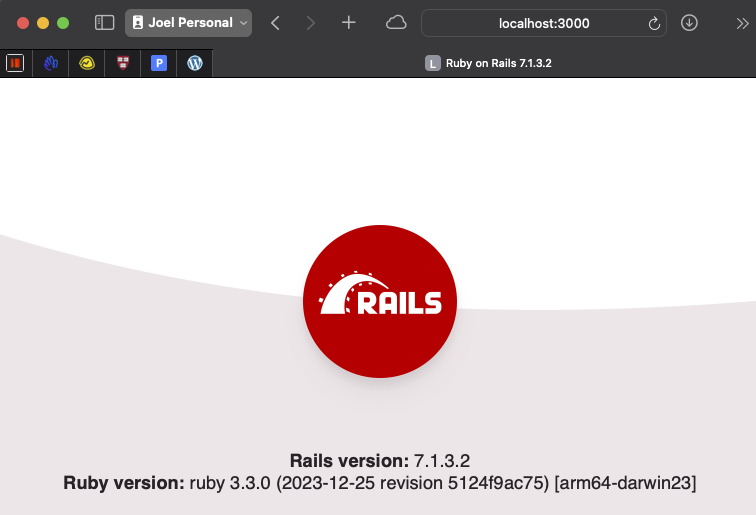
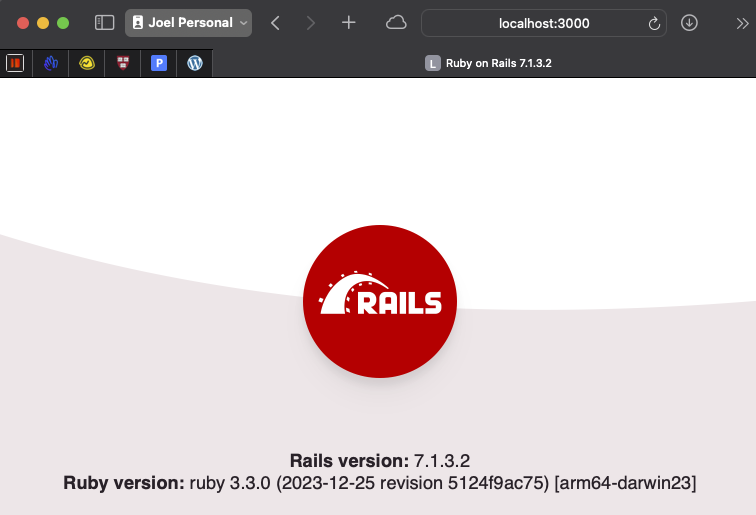
<p>To see your app running, visit that link `<a href="https://127.0.0.1/">https://127.0.0.1:3000`</a>.  This will open a web browser and display the following image (or similar, again, depending on the exact version of Rails you are running):</p>

<p><a href="https://world.hey.com/joelga/944b3976/blobs/eyJfcmFpbHMiOnsibWVzc2FnZSI6IkJBaHNLd2RIakRCZiIsImV4cCI6bnVsbCwicHVyIjoiYmxvYl9pZCJ9fQ==--641ffd783b744c748f2e653dcc66882511961027/CleanShot%202024-03-26%20at%2011.29.34.png?disposition=attachment" title="Download CleanShot 2024-03-26 at 11.29.34.png"><br />
<img src="/images/CleanShot%202024-03-26%20at%2011.29.34.png" alt="CleanShot 2024-03-26 at 11.29.34.png" /><br />
</a></p>

<p>Bam.  You’ve created a Ruby on Rails app.</p>

<p>—<br />
More at <a href="https://world.hey.com/joelga">world.hey.com/joelga</a></p>]]></content><author><name></name></author><category term="blog" /><summary type="html"><![CDATA[Creating a new Ruby on Rails Project is as easy as running a single command from the command line.  After running a single command, you’ll have a functioning Ruby on Rails app. There are just a few things you need to confirm before getting started.]]></summary><media:thumbnail xmlns:media="http://search.yahoo.com/mrss/" url="https://joelgaff.com/images/joel-og.jpg" /><media:content medium="image" url="https://joelgaff.com/images/joel-og.jpg" xmlns:media="http://search.yahoo.com/mrss/" /></entry><entry><title type="html">What’s the easiest way to become a computer software developer?</title><link href="https://joelgaff.com/blog/whats-the-easiest-way-to-become-a-computer-software-developer/" rel="alternate" type="text/html" title="What’s the easiest way to become a computer software developer?" /><published>2022-04-18T00:00:00+00:00</published><updated>2022-04-18T00:00:00+00:00</updated><id>https://joelgaff.com/blog/whats-the-easiest-way-to-become-a-computer-software-developer</id><content type="html" xml:base="https://joelgaff.com/blog/whats-the-easiest-way-to-become-a-computer-software-developer/"><![CDATA[<p>I have no idea, but here’s a look at the start of my journey toward becoming a software developer:</p>

<iframe width="560" height="315" src="https://www.youtube.com/embed/xMn9d7bx_6U" title="YouTube video player" frameborder="0" allow="accelerometer; autoplay; clipboard-write; encrypted-media; gyroscope; picture-in-picture" allowfullscreen="" style="max-width:100%;"></iframe>

<p>I’ve started out as a complete newbie computer programmer, and am sharing my journey toward becoming a software developer (as in, getting a paid job as a software developer). I’m obviously no expert at this point, and will make tons of mistakes, so if you catch an error in any of my videos, let me know!</p>

<p>Likewise, if you know of a more efficient or a more preferred method to solving a coding problem I share here, I’d love to know - you can connect with me at <strong>joelga @ hey . com.</strong></p>

<p>Links!:</p>

<p>Deep Work by Cal Newport: <a href="https://amzn.to/3EpU5NA">https://amzn.to/3EpU5NA</a></p>

<p>CS50 Course: <a href="https://cs50.harvard.edu/x">https://cs50.harvard.edu/x</a></p>

<p>Basecamp: <a href="https://basecamp.com/">https://basecamp.com/</a></p>

<p>HEY: <a href="https://www.hey.com">https://www.hey.com</a></p>

<p>My Newsletter: <a href="http://world.hey.com/joelga">http://world.hey.com/joelga</a></p>

<p>My Home: <a href="http://joelgaff.com">http://joelgaff.com</a></p>]]></content><author><name></name></author><category term="blog" /><summary type="html"><![CDATA[I have no idea, but here’s a look at the start of my journey toward becoming a software developer:]]></summary><media:thumbnail xmlns:media="http://search.yahoo.com/mrss/" url="https://joelgaff.com/images/joel-og.jpg" /><media:content medium="image" url="https://joelgaff.com/images/joel-og.jpg" xmlns:media="http://search.yahoo.com/mrss/" /></entry><entry><title type="html">Learning to Let Go</title><link href="https://joelgaff.com/blog/learning-to-let-go/" rel="alternate" type="text/html" title="Learning to Let Go" /><published>2021-03-05T00:00:00+00:00</published><updated>2021-03-05T00:00:00+00:00</updated><id>https://joelgaff.com/blog/learning-to-let-go</id><content type="html" xml:base="https://joelgaff.com/blog/learning-to-let-go/"><![CDATA[<p>For the last 12 years or so <a href="https://enduranceevolution.com">Endurance Evolution</a> has been a big part of my life. I’ve helped lead the team in planning and producing a handful of running races and triathlons each year, as well as a timing services division that timed 40 or so races each season.</p>

<p>The company was built slowly. We started small and grew organically. We only undertook debt once to buy some timing equipment (a 0% interest loan).</p>

<p>For various reasons, which you can <a href="https://traversecityrun.co/blogs/journal/a-chat-with-michigan-runner-girl">listen to here,</a> the time was right to let the events and timing services go and grow.</p>

<p>I knew the time was right, but I also knew it may be difficult to let go of something that had been such a big part of my life. It was more that a job, it really felt like an identity. I put my heart, soul, a little blood, and a lot of sweat into everything I did. </p>

<p>I’m in the midst of the transition now, transferring files and knowledge over to the very capable team at <a href="https://racedayevents.com/">Race Day Events</a>. It feels really good. Good because I know that Race Day Events is a first-class operation, and good because it feels like the events and timing operation have finally grown up, and are leaving the nest - off to grow even more. </p>

<p>I imagine this feeling is a little like what it’ll feel like when my little girls are ready to go off to college. A bittersweet moment. Ready to watch them grow and mature, but sad not to have them at the dinner table every night. </p>

<p>I’m learning what my new role is, and learning to let go. It’s a challenge. But it’s a challenge that comes with new opportunity. </p>

<p><em>This post was originally published at <a href="https://world.hey.com/joelga/learning-to-let-go-eae31cd6">hey.world.com/joelga</a></em></p>]]></content><author><name></name></author><category term="blog" /><category term="words" /><summary type="html"><![CDATA[For the last 12 years or so Endurance Evolution has been a big part of my life. I’ve helped lead the team in planning and producing a handful of running races and triathlons each year, as well as a timing services division that timed 40 or so races each season.]]></summary><media:thumbnail xmlns:media="http://search.yahoo.com/mrss/" url="https://joelgaff.com/images/joel-og.jpg" /><media:content medium="image" url="https://joelgaff.com/images/joel-og.jpg" xmlns:media="http://search.yahoo.com/mrss/" /></entry><entry><title type="html">Hey, World.</title><link href="https://joelgaff.com/blog/hey-world/" rel="alternate" type="text/html" title="Hey, World." /><published>2021-03-04T00:00:00+00:00</published><updated>2021-03-04T00:00:00+00:00</updated><id>https://joelgaff.com/blog/hey-world</id><content type="html" xml:base="https://joelgaff.com/blog/hey-world/"><![CDATA[<p>I’ve written quite a bit at <a href="http://joelgaff.com/">joelgaff.com</a>, but my writing has lapsed.  I still want that to be where I post my writing, but the sheer simplicity of writing here at <strong>HEY World</strong> is freeing.  No need to worry about formatting, no need to worry about layout.  Just write and send, and it’s posted. Just like writing an <a href="https://hey.com/world/">email to the world</a>.Simple. Elegant. Distraction-free.</p>

<p>This post originally appeared at <a href="https://world.hey.com/joelga/">world.hey.com/joelga</a>.</p>]]></content><author><name></name></author><category term="blog" /><category term="hey" /><category term="writing" /><summary type="html"><![CDATA[I’ve written quite a bit at joelgaff.com, but my writing has lapsed.  I still want that to be where I post my writing, but the sheer simplicity of writing here at HEY World is freeing.  No need to worry about formatting, no need to worry about layout.  Just write and send, and it’s posted. Just like writing an email to the world.Simple. Elegant. Distraction-free.]]></summary><media:thumbnail xmlns:media="http://search.yahoo.com/mrss/" url="https://joelgaff.com/images/joel-og.jpg" /><media:content medium="image" url="https://joelgaff.com/images/joel-og.jpg" xmlns:media="http://search.yahoo.com/mrss/" /></entry></feed>